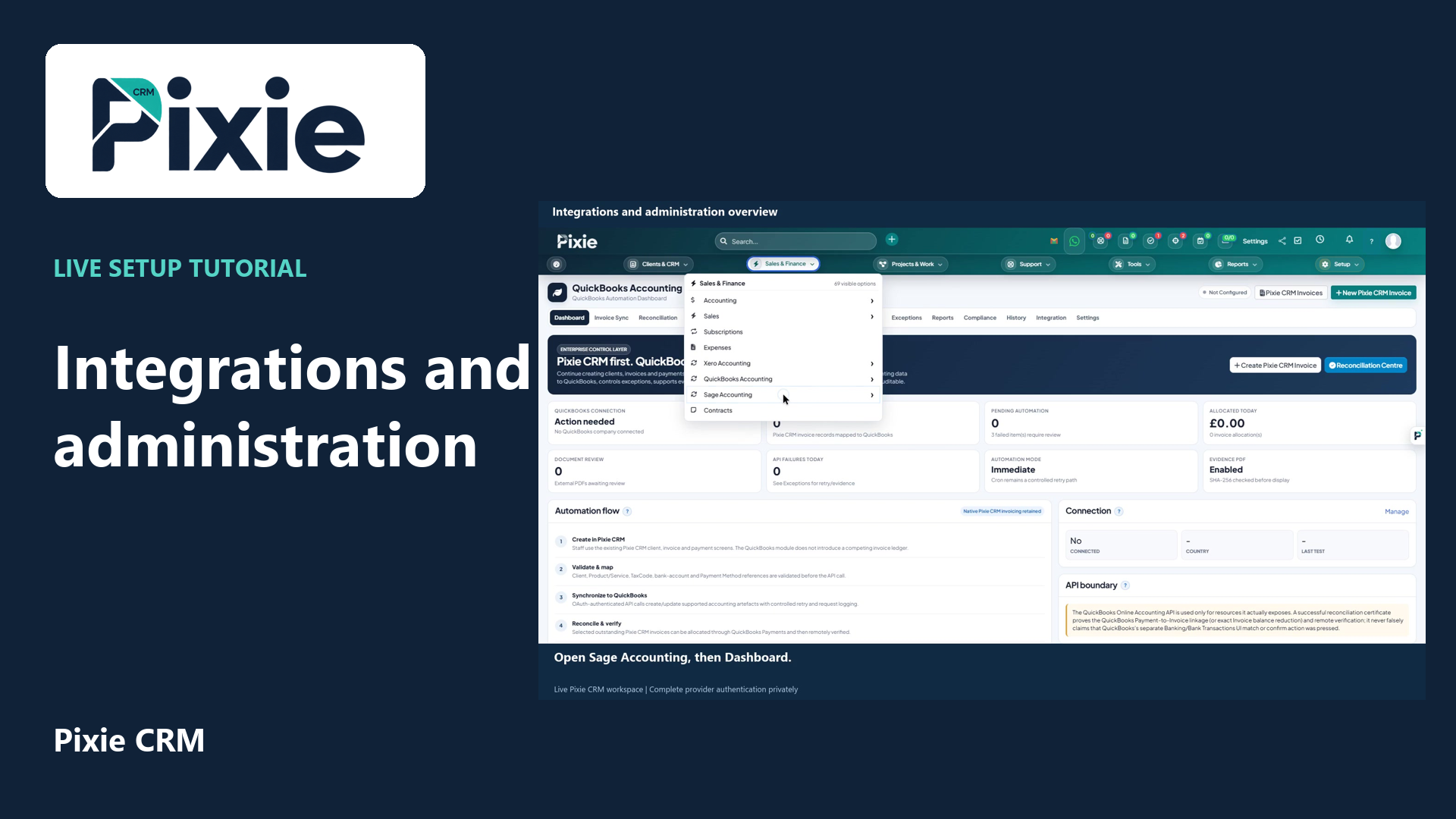
Integrations and administration overview
Locate Pixie CRM integrations and administration controls with live clicks. Review Xero, QuickBooks and Sage readiness, automation, staff, roles, custom fields, privacy settings and the solution catalogue.
Customer work, connected.

Business software & API integrations
Bring the tools you rely on into a connected customer workflow. Explore familiar platforms, understand the possibilities and plan a connection with a clear purpose.
 Xero
 WhatsApp
 Stripe
 Google Workspace
 Shopify
 HubSpot
Learn with Pixie CRM
Follow real application screens at your own pace, with English captions and a matching written guide.
Locate Pixie CRM integrations and administration controls with live clicks. Review Xero, QuickBooks and Sage readiness, automation, staff, roles, custom fields, privacy settings and the solution catalogue.
Recorded in a demonstration workspace; available options depend on your plan and permissions.
Visit the Pixie CRM YouTube channel
Familiar platforms. Useful connections.
Open a platform guide to understand the workflow, records and setup considerations before connecting your systems.
Connect approved customer, invoice and payment records with your finance workflow.

Connect approved customer, invoice and payment records with your finance workflow.

Connect approved customer, invoice and payment records with your finance workflow.

Connect approved customer, invoice and payment records with your finance workflow.
Plan the handover of contacts, sales activity and customer context between platforms.
Plan the handover of contacts, sales activity and customer context between platforms.

Plan the handover of contacts, sales activity and customer context between platforms.
Plan the handover of contacts, sales activity and customer context between platforms.
Keep messages, calendars and collaboration connected to the right customer work.
Keep messages, calendars and collaboration connected to the right customer work.
Keep messages, calendars and collaboration connected to the right customer work.
Keep messages, calendars and collaboration connected to the right customer work.

Keep messages, calendars and collaboration connected to the right customer work.

Keep messages, calendars and collaboration connected to the right customer work.

Keep messages, calendars and collaboration connected to the right customer work.
Keep messages, calendars and collaboration connected to the right customer work.
Connect identity, documents and evidence with appropriate permissions and review.
Plan the exchange of orders, fulfilment references and operational updates.

Plan the exchange of orders, fulfilment references and operational updates.
Plan the exchange of orders, fulfilment references and operational updates.
Connect approved customer, invoice and payment records with your finance workflow.

Connect approved customer, invoice and payment records with your finance workflow.
Connect approved customer, invoice and payment records with your finance workflow.

Connect audiences, campaign information and engagement with customer relationships.
Connect audiences, campaign information and engagement with customer relationships.
Keep messages, calendars and collaboration connected to the right customer work.
Keep messages, calendars and collaboration connected to the right customer work.

Plan the handover of contacts, sales activity and customer context between platforms.
Plan the handover of contacts, sales activity and customer context between platforms.

Define the records, events and permissions needed for a useful system connection.

Define the records, events and permissions needed for a useful system connection.

Define the records, events and permissions needed for a useful system connection.
Turn agreed business records into useful reports, analysis or assisted workflows.
Turn agreed business records into useful reports, analysis or assisted workflows.

Turn agreed business records into useful reports, analysis or assisted workflows.
Plan the exchange of employee information around your team’s working processes.

Plan the exchange of employee information around your team’s working processes.

Connect identity, documents and evidence with appropriate permissions and review.

Plan the exchange of orders, fulfilment references and operational updates.

Plan the exchange of orders, fulfilment references and operational updates.
Choose a useful starting point
Follow a business workflow from the capability to the connection and the practical guidance behind it.
Explore the complete directory
Search by name or choose a business area. Every option links to a dedicated page with more detail.
Explore accounting & erp. Open a page to see the business purpose, related workflows and next steps for your Pixie workspace.
Explore banking & open banking. Open a page to see the business purpose, related workflows and next steps for your Pixie workspace.
Explore crm & sales. Open a page to see the business purpose, related workflows and next steps for your Pixie workspace.
Explore collaboration & productivity. Open a page to see the business purpose, related workflows and next steps for your Pixie workspace.
Explore customer service & itsm. Open a page to see the business purpose, related workflows and next steps for your Pixie workspace.
Explore data, bi & analytics. Open a page to see the business purpose, related workflows and next steps for your Pixie workspace.
Explore developer, api & devops. Open a page to see the business purpose, related workflows and next steps for your Pixie workspace.
Explore document, storage & e-signature. Open a page to see the business purpose, related workflows and next steps for your Pixie workspace.
Explore e-commerce & marketplaces. Open a page to see the business purpose, related workflows and next steps for your Pixie workspace.
Explore email, sms & messaging. Open a page to see the business purpose, related workflows and next steps for your Pixie workspace.
Explore government, verification & public data. Open a page to see the business purpose, related workflows and next steps for your Pixie workspace.
Explore hr, payroll & recruitment. Open a page to see the business purpose, related workflows and next steps for your Pixie workspace.
Explore identity, sso & directory. Open a page to see the business purpose, related workflows and next steps for your Pixie workspace.
Explore marketing & customer engagement. Open a page to see the business purpose, related workflows and next steps for your Pixie workspace.
Explore payments & billing. Open a page to see the business purpose, related workflows and next steps for your Pixie workspace.
Explore property & construction. Open a page to see the business purpose, related workflows and next steps for your Pixie workspace.
Explore security & compliance. Open a page to see the business purpose, related workflows and next steps for your Pixie workspace.
Explore shipping, fleet & logistics. Open a page to see the business purpose, related workflows and next steps for your Pixie workspace.
Explore social, advertising & content. Open a page to see the business purpose, related workflows and next steps for your Pixie workspace.
Explore telephony & contact centre. Open a page to see the business purpose, related workflows and next steps for your Pixie workspace.
Try a shorter name, choose another business area or clear the filters.
Tell us what you need ↗From discovery to everyday use
Choose the customer, sales or operational journey you want to improve and the teams involved.
Explore business solutions ↗Link the module to the systems your team uses, with agreed records and responsibilities.
Explore modules ↗Use the Help Centre to find the right screen, review settings and check the outcome.
Open the Help Centre ↗